Workflow Repository Management
Last Updated: November 13, 2026
Repository Management allows users to update and add account access to repositories for access to deploy workflow commits.
Before You Begin
- Configure a read-only Personal Access Token (PAT). Please ensure that the PAT provides read access to the linked repository and commit, no changes to the code will be made. The commit code will only be pulled once and would not be synced with the repository. Configure your token with the recommended settings:
- Github.
- Token Type: Fine-grained personal access token.
- Expiration: No expiration.
- Repository Access: Select Only Select Repositories containing the specific model images.
- Permissions:
- Contents: Read-only.
- Metadata: Read-only.
- Github.
Note: For additional details on token generation and lifecycle management, please refer to your provider's official documentation.
Update Linked Accounts
-
Navigate to the Catalogue page and then select the Workflows tab.
-
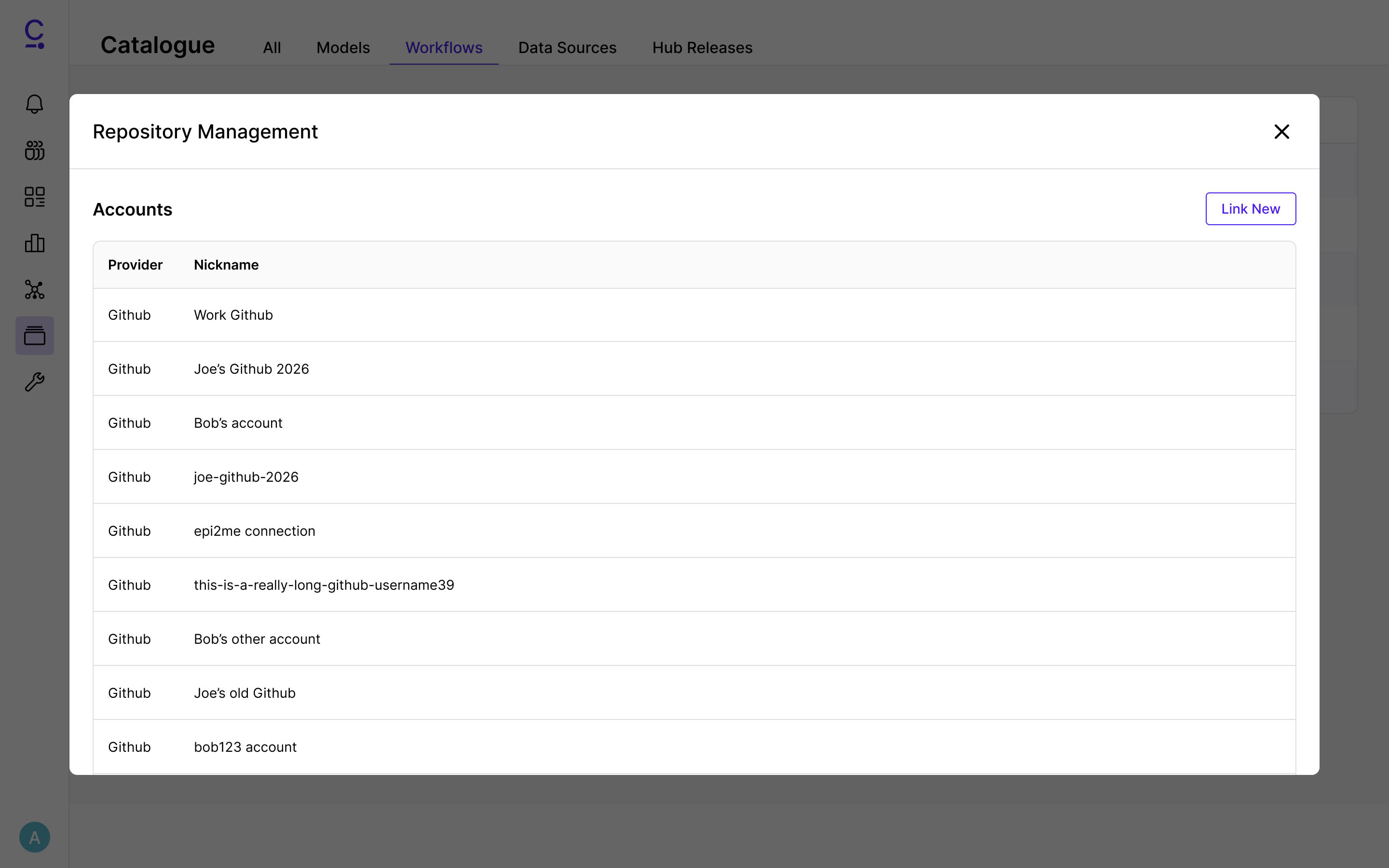
Click Repository Management. The Repository Management displays all the previously linked accounts with the provider type and the account’s nickname.
-
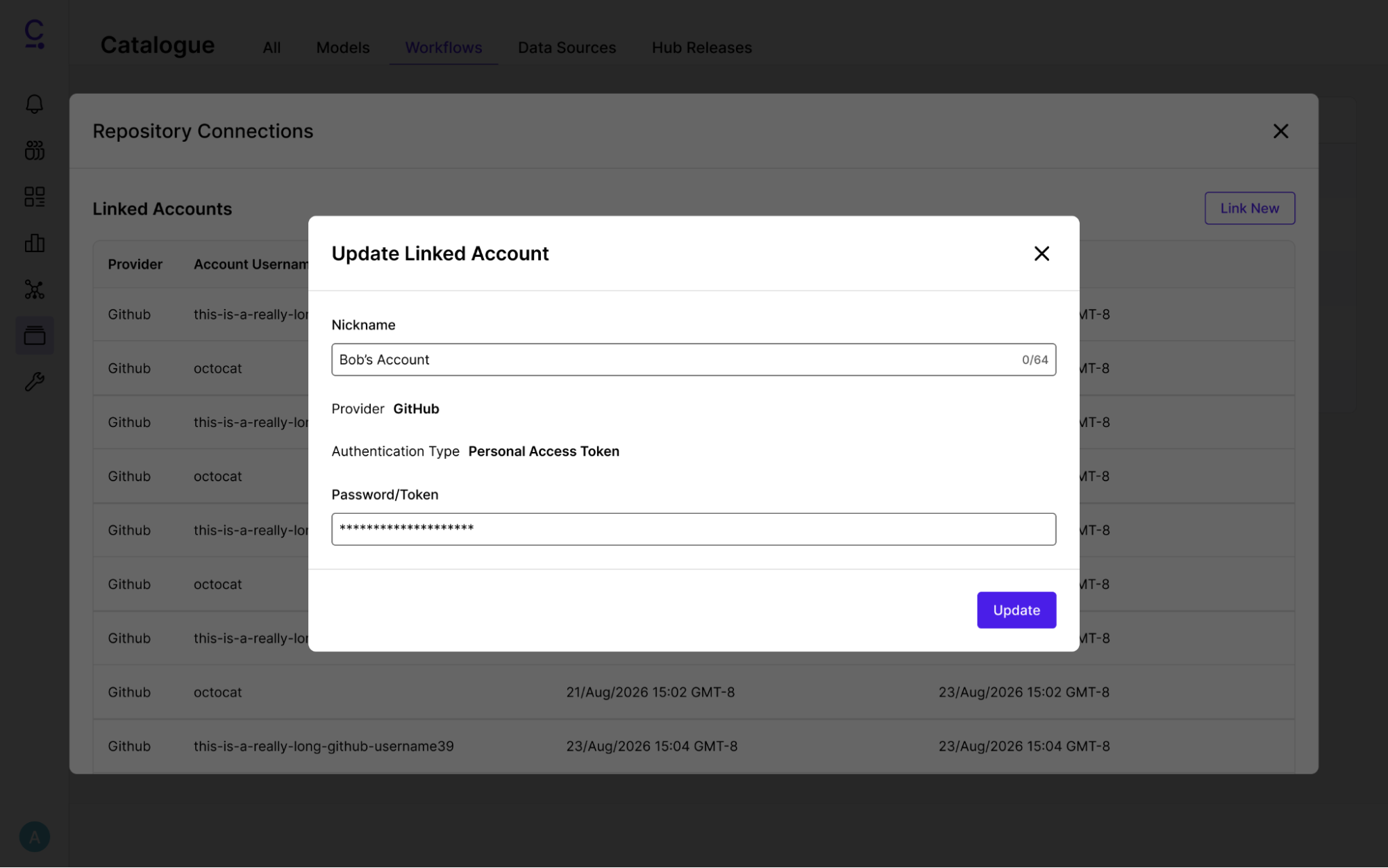
Select the Linked Account from the list you would like to update. Input the new Password/Token and click Update when done.
- Password/Token should be updated when access to the repository and commit has been changed.
Add a New Repository Account
-
Navigate to the Catalogue page, then select the Workflows tab.
-
Select Repository Management. In Repository Management, you can view all your previously linked accounts.
-
To add a new account, click Link New.
-
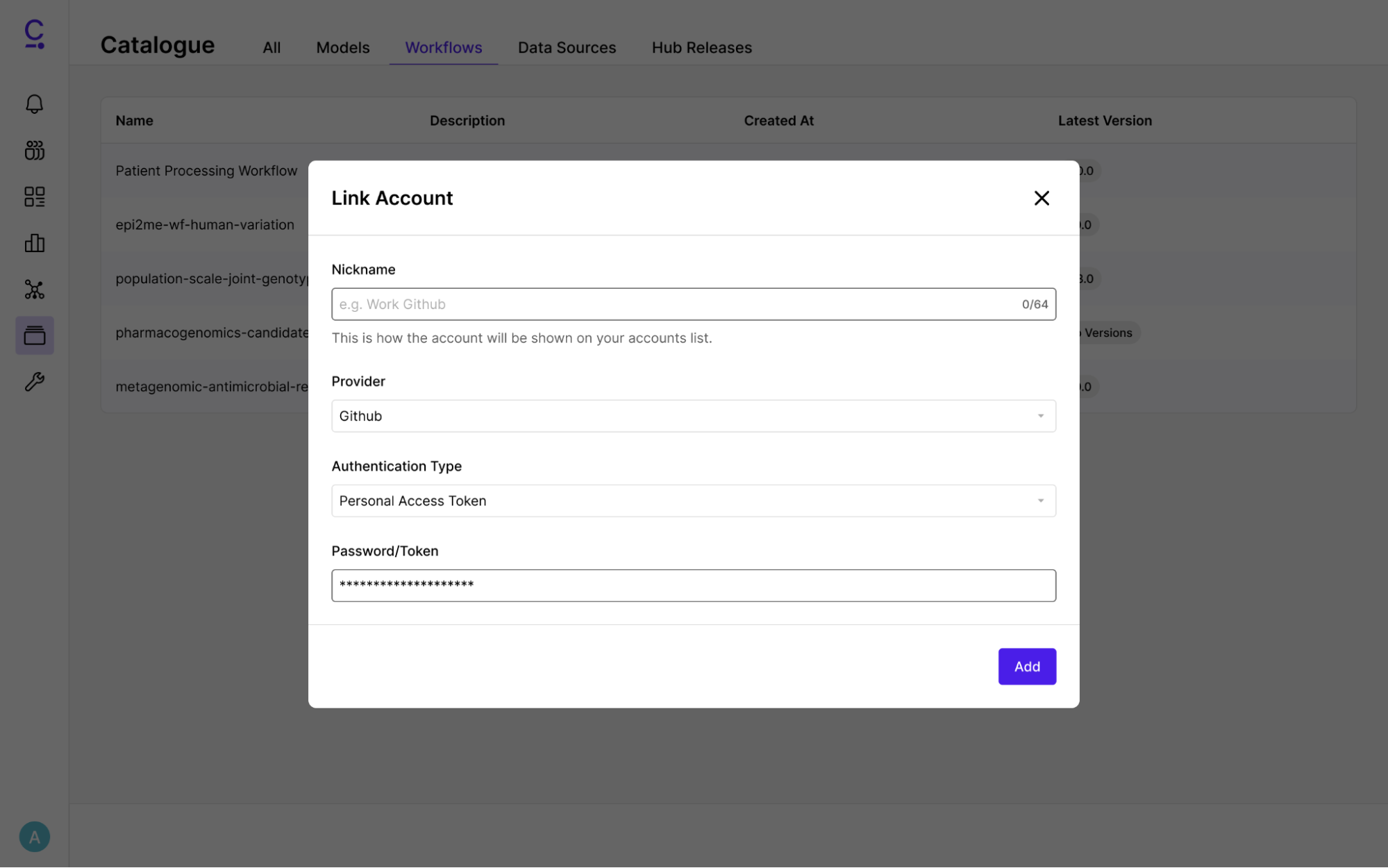
In the pop-up form that appears, indicate the following information:
Field Description Nickname Enter a Nickname (up to 64 characters), this will be the name shown in the accounts list. Provider Select the provider type, currently only supports Github but more Providers will be added in the future. Authentication Type Personal Access Token. Password/Token Enter your Password/Token associated with the account. -
Click Add and your new account will show up in the repository management list.