Application Access Control
Last Updated: November 13, 2026
When an application is deployed, it is launchable through the platform. Only users with granted access can view them. Organization Admin users can grant access to certain users through Admin Tools, in the Access Control tab.
Provide Application Access
-
Once the application is successfully deployed and running, navigate to Admin Tools then select Access Control.
-
Using the search bar, search for the deployment name that contains the desired application.
-
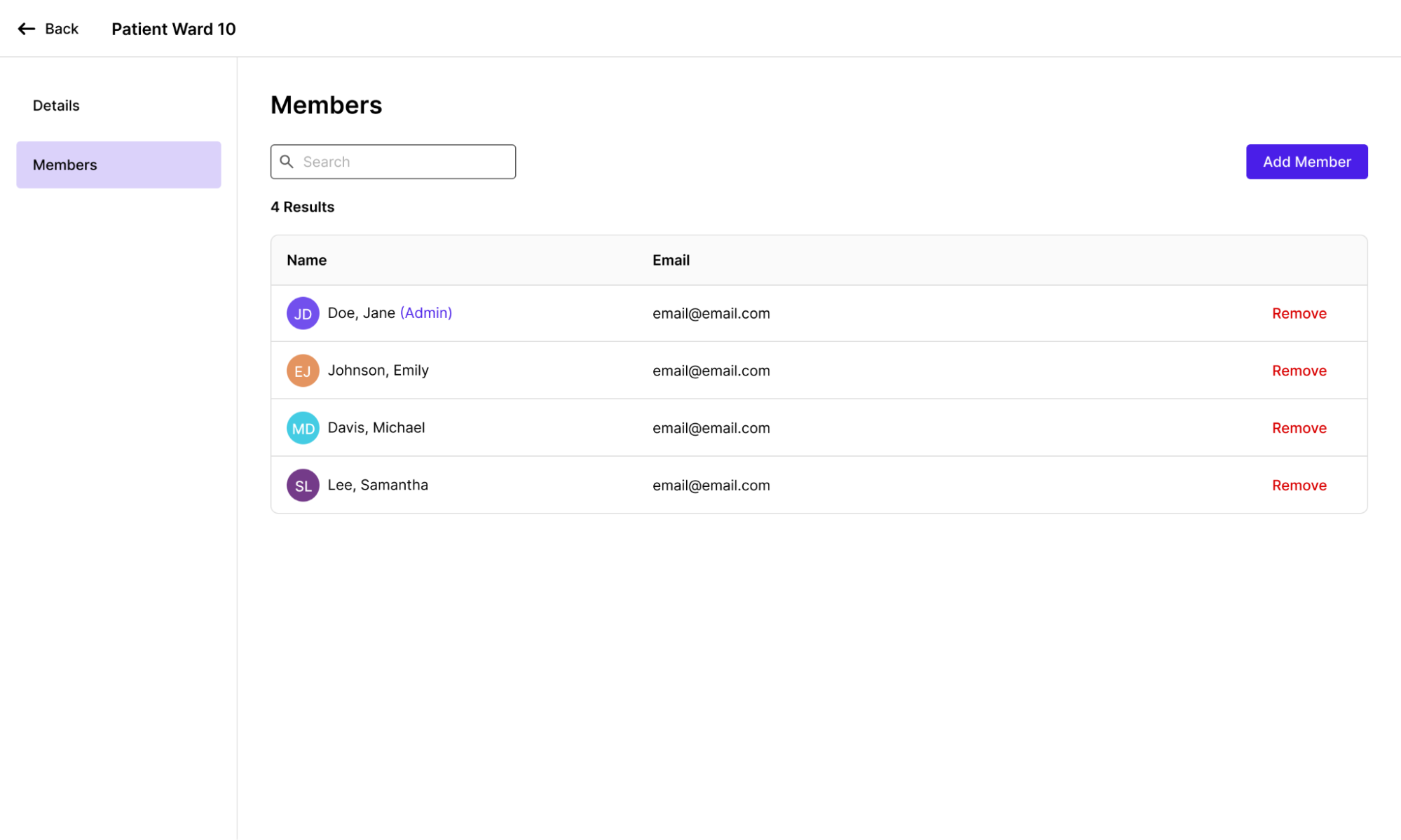
Select the deployment, then click on the Members tab where it will display a table of all the members who have access to this application.
-
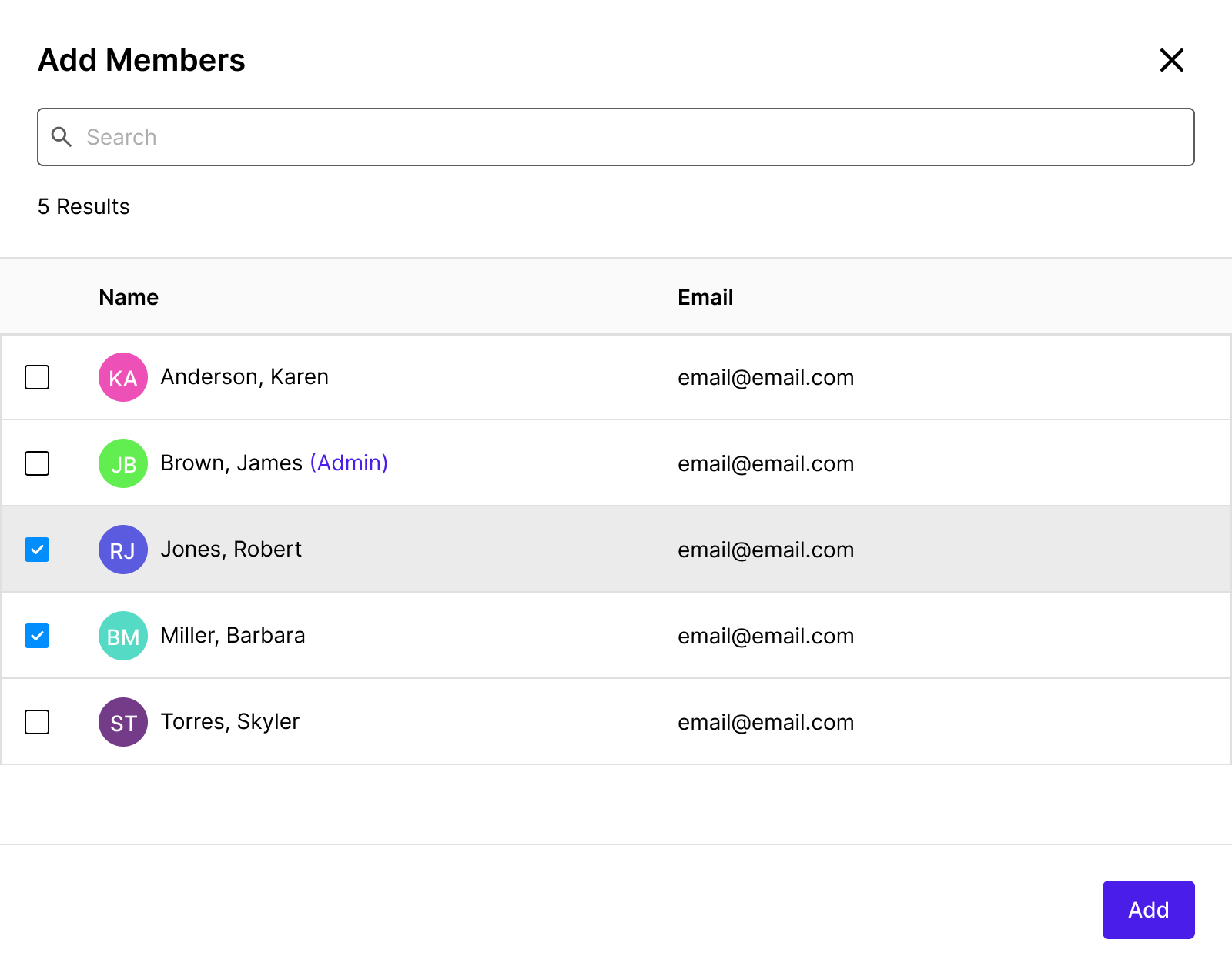
Click on the Add member button and select the desired users to provide access to, and click Add.
-
Go back using the Back button on the top left to return to the list of deployments.
To launch applications that you have access to:
-
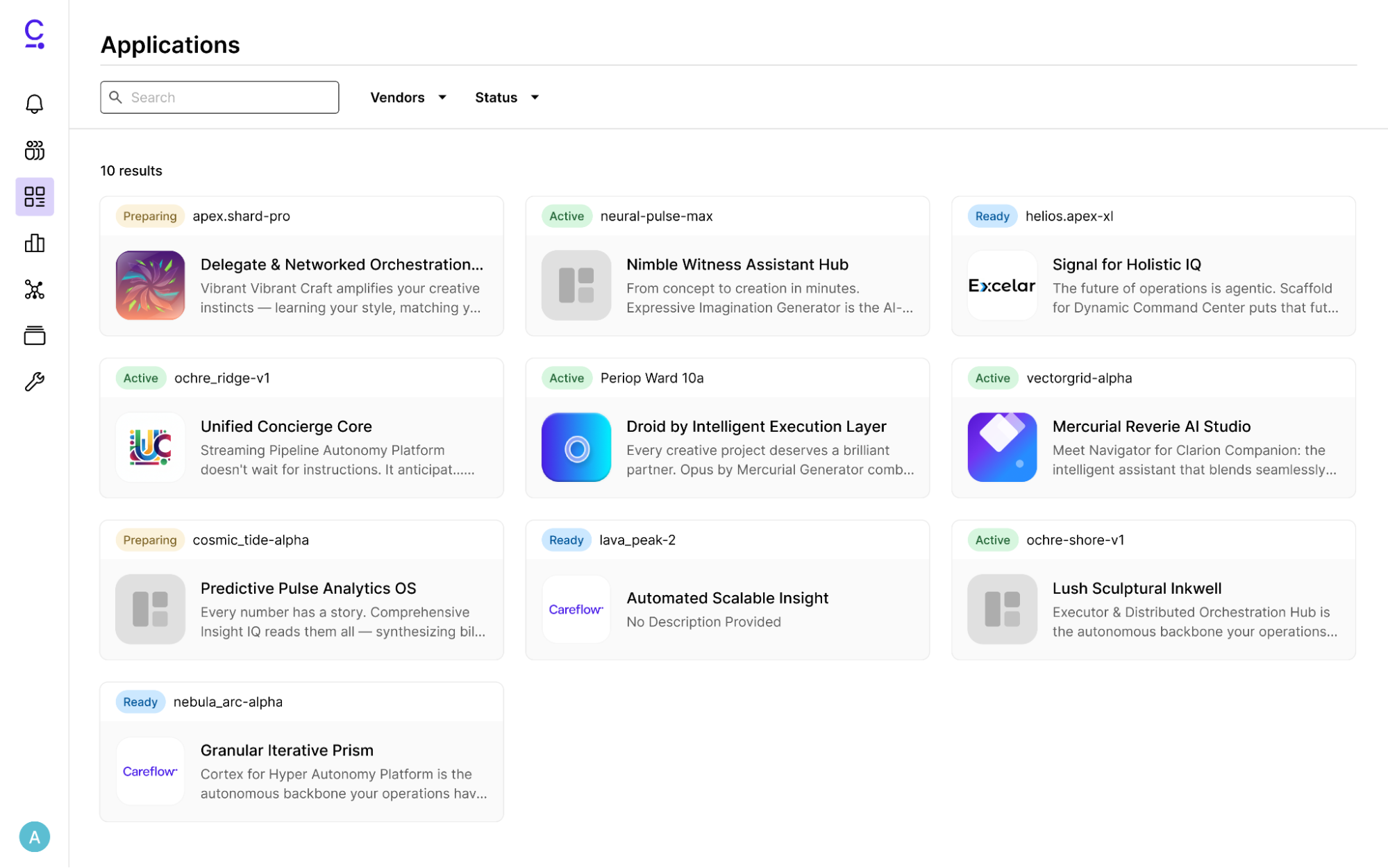
Navigate to the Applications page from the left sidebar. All applications that you have permissions to view will be displayed here.
-
Locate the application you would like to launch, and select its card to view it.